
How to improve image quality and create professional videos using artificial intelligence.
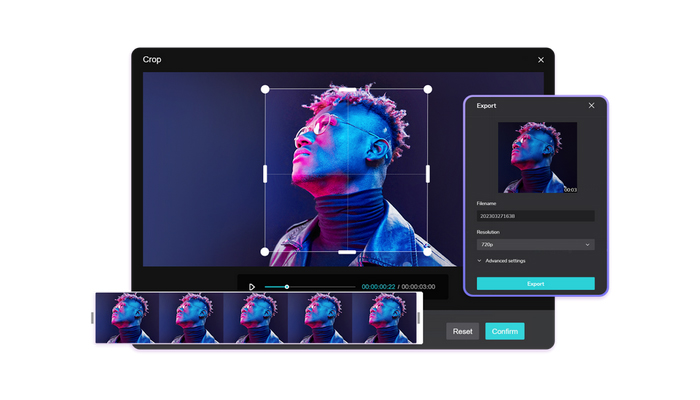
In an increasingly visual world, the quality of the images and videos you produce is essential to stand out and engage your audience. Sharp photos and well-produced videos not only capture attention but also reinforce your brand's credibility. Fortunately, with the right artificial intelligence tools, anyone can improve image quality and create stunning audiovisual content without needing advanced experience in complex software.
In this comprehensive guide, we'll explore how to optimize your images and generate professional videos using AI, ensuring results that look like they were produced by professional designers and editors.
Why invest in image and video quality?
Low-quality images or poorly produced videos can harm the public's perception of your brand or project. On the other hand, high-quality visual content generates several benefits:
⇒ Increased engagement: Clear images and videos capture the audience's attention quickly.
⇒ Increased credibility: Well-crafted visual content conveys professionalism.
Versatility : High-quality images can be used on social media, websites, advertisements, or corporate presentations.
⇒ SEO optimized: Clear images and high-quality videos improve the user experience, increasing dwell time and indexing potential.
By using modern artificial intelligence tools, you can transform ordinary photos into impactful images and create engaging videos without needing to master complex software.
How to improve image quality online
AI technology has revolutionized the way we enhance images. With advanced algorithms, it's possible to restore details, improve colors, reduce noise, and increase the sharpness of photos that would previously have been considered average or even poor.
A highly recommended tool for this is the best image quality enhancer , which allows you to quickly and intuitively improve photos. Key features include:
⇒ Increased resolution: Recovers lost details and allows you to enlarge images without loss of quality.
⇒ Color and contrast correction: Automatically adjusts tones and light balance.
⇒ Noise reduction: Smooths out graininess and imperfections in the image.
⇒ Intuitive interface: Simply upload the photo and the AI processes it automatically.
This approach is ideal for marketers, digital influencers, designers, and anyone who wants high-quality visual content without investing in expensive or complex software.
Step-by-step guide to improving your images
- Choose a good base image: Clear and well-lit photos produce better results.
- Upload to the tool: Access the resolution increase feature and upload your image.
- Select the level of enhancement: Some platforms allow for multiple levels of scaling.
- Review the result: Compare the before and after photos to ensure that important details have been preserved.
- Download the final image: Use it in campaigns, social media, websites, or presentations.
By following this process, you can transform ordinary images into professional files that attract attention and increase engagement.
Creating professional videos with AI
In addition to enhanced images, creating high-quality videos is essential for engaging your audience. With an AI video generator, it's possible to produce complete audiovisual content quickly, automatically, and with a professional look.
This technology works by analyzing your input, such as text or a script, and transforming it into a video with coherent transitions, music, subtitles, and visual effects. Some benefits include:
⇒ Speed of production: Videos that previously took hours can now be generated in minutes.
⇒ Customization: Choose visual styles, colors, soundtracks, and video duration.
Accessibility : No advanced editing knowledge is required.
⇒ Consistency: Allows you to maintain a uniform visual standard across different videos.
A reliable option for creating automated videos is the AI video generator , ideal for marketing campaigns, tutorials, educational videos, and product promotions.
Step-by-step guide to creating videos with AI.
- Define the objective of the video: Determine whether it will be promotional, educational, or institutional.
- Choose a model or template: Many video generators offer ready-made templates to facilitate production.
- Insert content: Add text, images, logos, and select the appropriate soundtrack.
- Review and adjust: Make sure the transitions, captions, and effects are consistent.
- Export and share: The final video can be published on social media, websites, or sent directly to clients.
This workflow allows you to create high-quality videos effortlessly, saving you time and resources.
Tips for effectively combining images and videos.
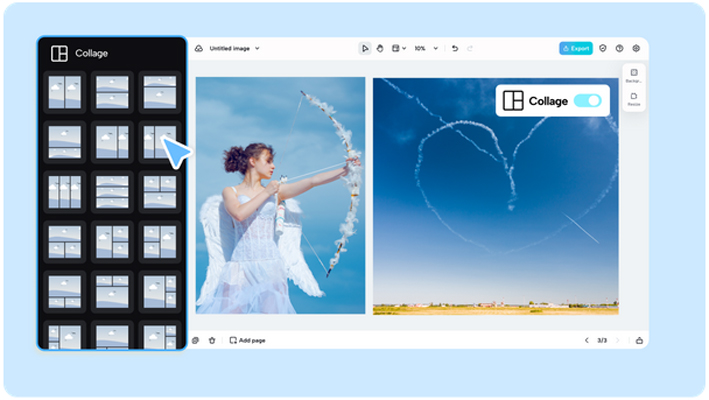
⇒ Use enhanced images in your videos: High-resolution photos improve the visual quality of the content.
⇒ Maintain visual consistency: Colors, fonts, and styles should be uniform across images and videos.
⇒ Include interactive elements: Calls to action and captions increase engagement.
⇒ Test different combinations: Evaluate various versions of images and videos to identify what generates the best performance.
By following these practices, it's possible to create audiovisual content that stands out and is highly shareable.
Benefits of using AI tools
⇒ Efficiency: Automates complex tasks and reduces production time.
Accessibility : Works directly in the browser, no installation required.
⇒ Professional quality: Consistent results with a high visual standard.
Versatility : Applicable to different types of content and digital platforms.
Online image editing and video generation tools make it possible to produce sophisticated content without relying on advanced software or in-depth technical knowledge.
Conclusion
Transforming ordinary images into professional photos and creating impactful videos has never been easier. By using features such as improved image quality and an AI video generator, any user can achieve impressive results quickly, intuitively, and practically.
Investing in visual and audiovisual quality increases engagement, strengthens the brand, and ensures a more relevant digital presence. Start exploring these tools today and elevate your projects to a new level of professionalism and impact.